Current software demonstration
Watch directly on YouTube ↗
Omegavus Algo Pro 4.2 in action
This video shows the software workflow, not verified or representative trading performance.
Algo Pro is a NinjaTrader 8 algorithm builder with 10 entry logics and 10 separate exit logics. Combine them, assign their roles, set stops, targets, trading hours and daily limits, then save each configuration as its own algo. The chart shows why it traded or waited.
Automated trading requires NinjaTrader 8, an active data and broker connection, and ongoing supervision. Your broker, data feed, and any VPS or computer costs are separate. Risk controls cannot guarantee fills or prevent every loss.


 More than 40 traders have invested in Algo Pro during its development. Some have been with us for 3 to 5 years.
Illustrative simulated account (SIM101). Simulated results have limitations, do not represent actual trading, and are not a promise of future results. Your results will be different. Read the full risk disclosure.
Watch the current software first. The four historical recordings follow.
This video shows the software workflow, not verified or representative trading performance.
I tested an early Algo Pro build (approximately v1.25) with about $1,100 in my own futures account. My goal was to earn $1,000 within 30 days—or lose the account first.
The objective was reached on Day 4. I recorded the losing trades and recoveries along with the wins.
Some mornings you enter early. After a loss, you take the next setup faster. When you're up, you protect the profit too soon. And when you're away from the computer, nothing gets executed at all.
Algo Pro takes that part off your plate. It trades with logics we built, inside the rules you set: your size, your daily limits, your hours and the news to sit out. Then it shows you exactly what it did.
You set your limits, your trading hours and the news to sit out.
Algo Pro starts trading your setup, and you go about your day.
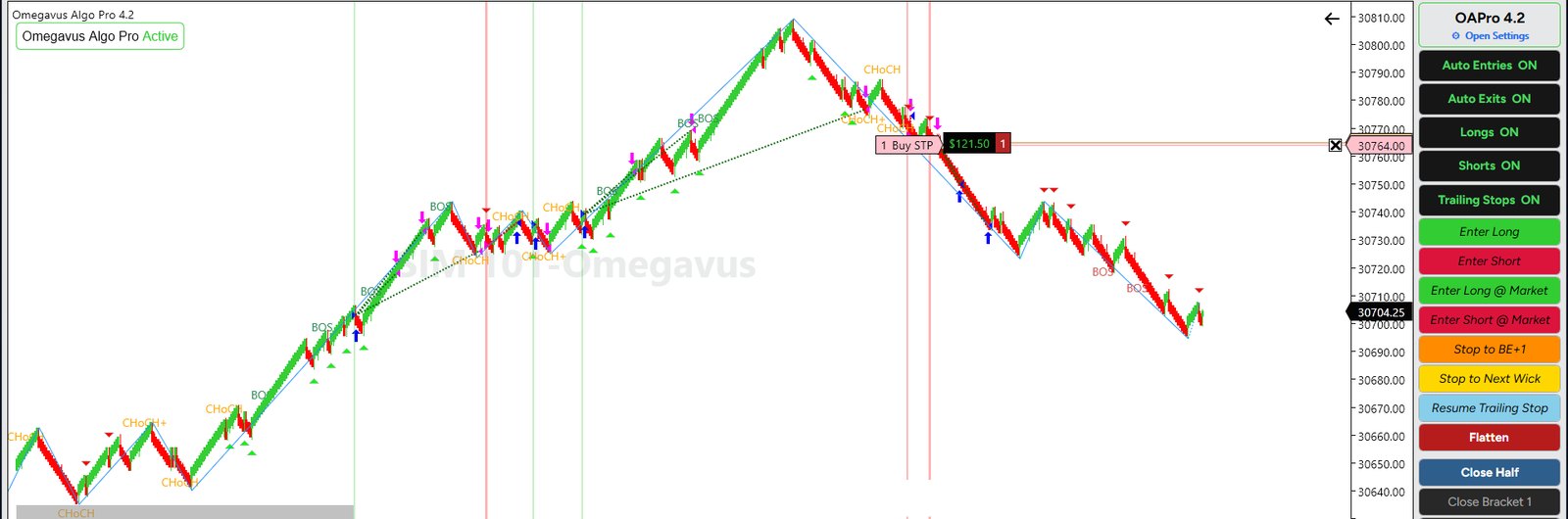
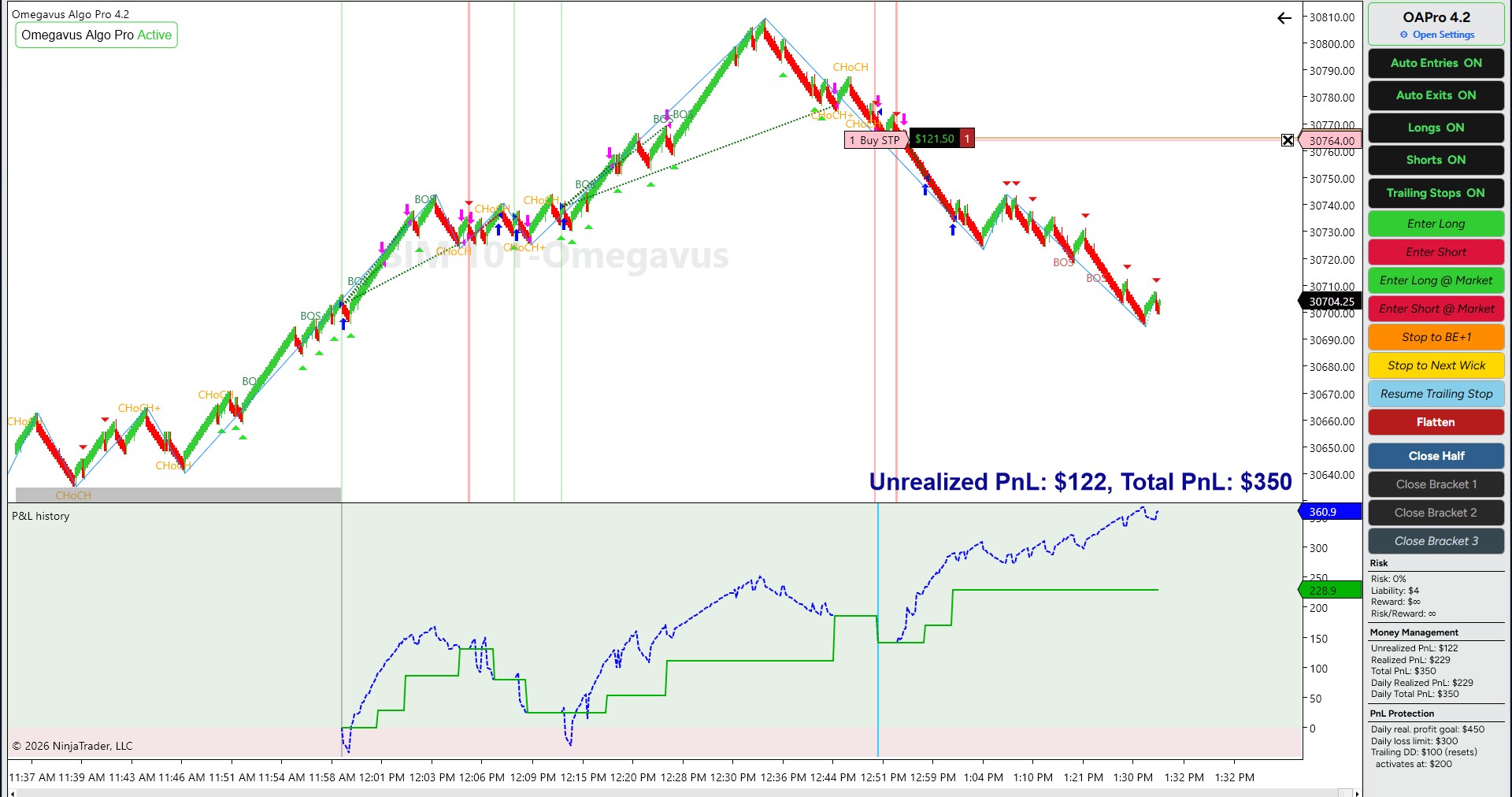
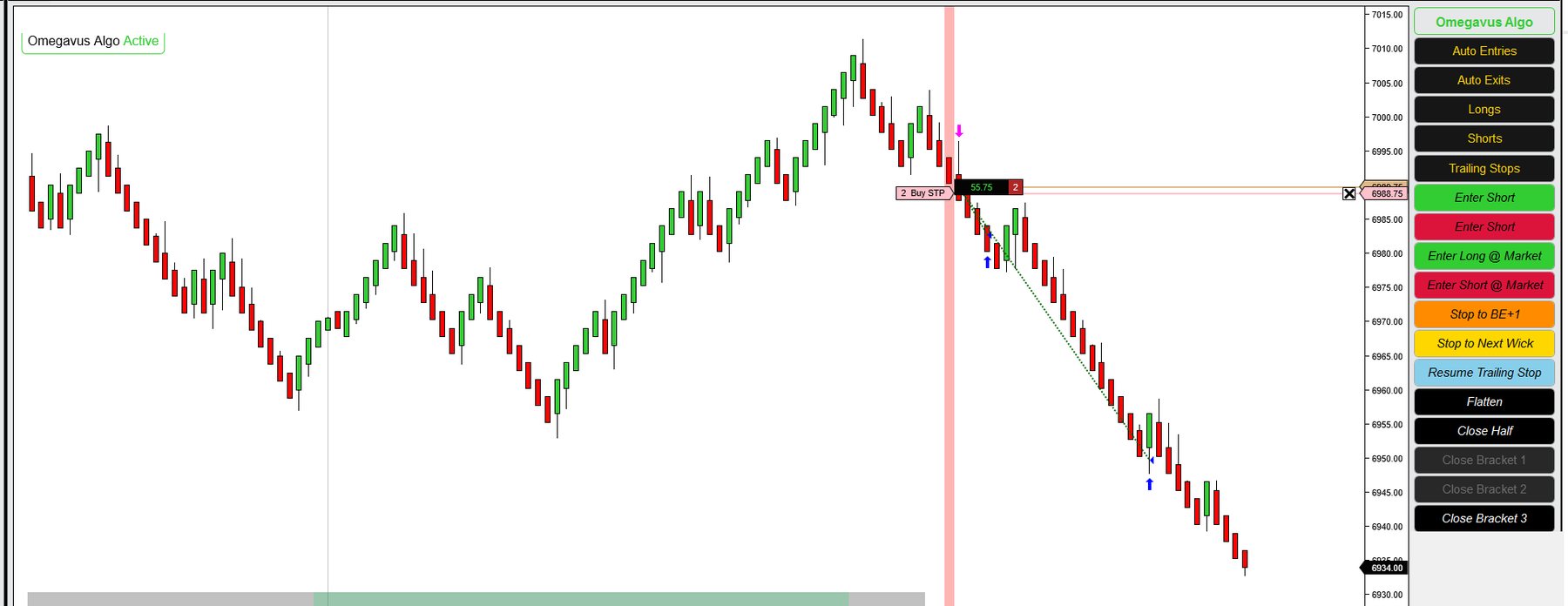
You open the chart and see every trade it took, every one it skipped, and the reason for each.
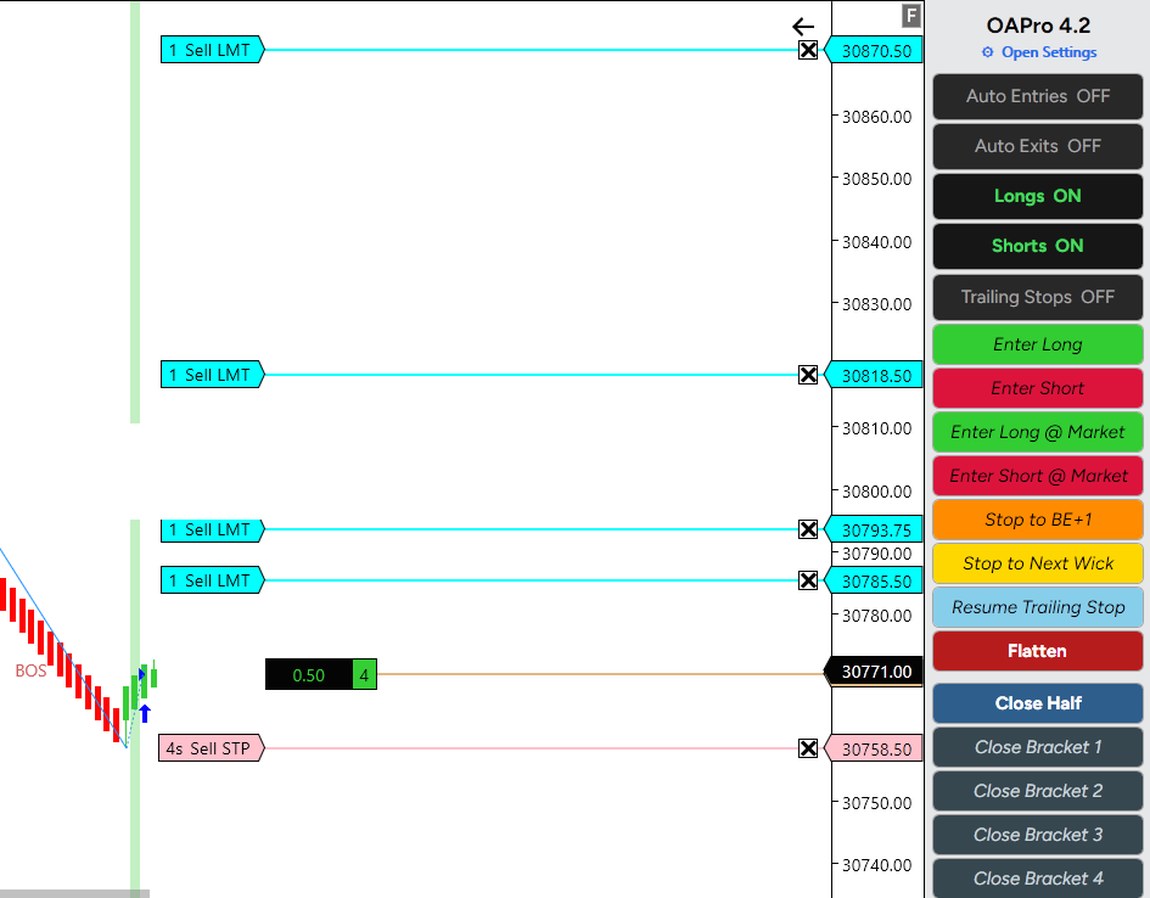
Everything happens right on your NinjaTrader chart. Here's what you're looking at. The screenshot illustrates the software interface; it is not an audited trading record.
 1
2
3
4
You don't have to build anything on day one. Algo Pro comes with four algos we built and set up for NQ and MNQ, so you can get one running on one market first and learn how it behaves before you change a single setting.
Your VIP Premium Installation Assistance is a private working session. We install Algo Pro, load the four included algos, explain the controls, review your settings, adjust an included template with you, and test it in simulation. Some sessions take two hours or more.
Start with one of the included algos on your simulated account. Watch what it does and read why it did it.
Mix the logics for getting in and getting out, and save each version as its own algo.
You set your rules once, in Algo Pro's settings, before the market opens. Before it takes any trade, Algo Pro checks them, and if one of them says no, it waits.
Let Algo Pro enter and manage trades, or take the entry yourself while its configured stops and targets continue managing the position. The most-used controls are available directly on the chart.
Turn entries, exits, long or short trading, and trailing stops on or off without shutting down the strategy. Let Algo Pro execute when you want automation; pause entries when you want to decide.
Click Long or Short yourself. Algo Pro places your configured brackets and continues managing stops and targets. You control when to enter without managing every order manually.
Not comfortable with the position? Move your stop to breakeven +1 tick, click again to advance another tick, or move it toward a recent wick or swing level without dragging chart lines.
Close half, close an individual bracket, or flatten the entire position from the control panel. You can respond to changing conditions without rebuilding the strategy.
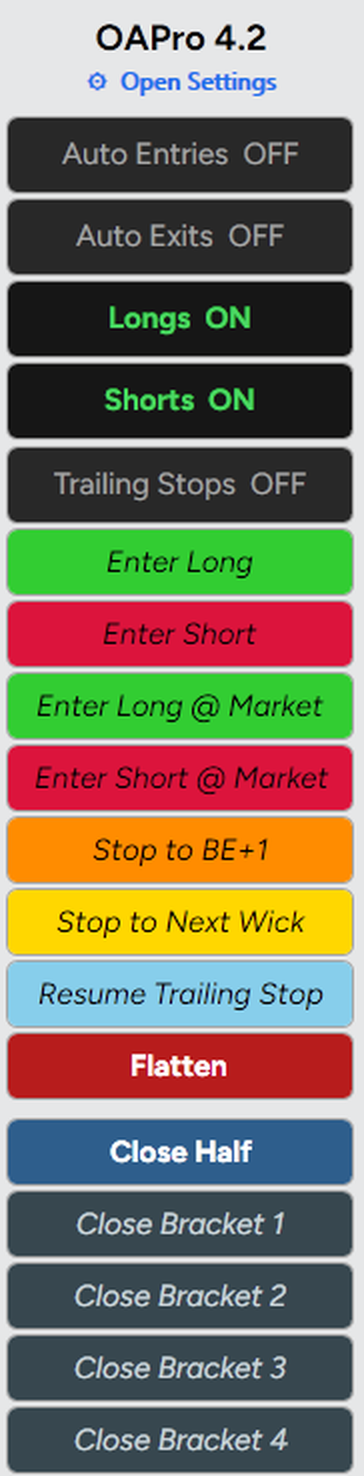
Split a position into up to four brackets, each with its own target and stop. For example, close part of a position at a nearer target while trailing the rest.
Instead of buying one fixed strategy, select from 10 entry logics and 10 separate exit logics. Assign the roles you need, set your trade management rules, and save each configuration as its own algo.
Save any configuration under its own ID. Revise it, save another version, and keep the original. There is no limit to the number of configurations you can create.
Choose how a trade begins, how it exits, and which conditions must agree. Each saved combination becomes a separate algo you can test and revise.
Why it matters: Want to keep an entry but test a different exit? Change the exit, save a new template and compare the behavior in simulation. You don't need to purchase a second fixed algorithm.
Many builders let you pick which trading tools to use. Algo Pro also lets you decide what each logic does in your setup. The same logic can set the direction in one algo and stand guard as a filter in another.
You can use the roles for getting into a trade, for getting out, or both. Together, roles, filters, bracket settings and parameters allow a wide range of configurations. Each needs independent testing.
Four templates are included. Here is how we prepare them.
Each one went through every step above. Pick the one that fits how you like to trade, run it on your simulated account first, and change it only when you're ready.
In the membership, we keep building more templates with you, live, in the Template Workshop.
One live session each week, alternating between Algo Q&A and Template Workshop. OmegavusTREND Professional is included. Your first three months of The Collective come with the license. They start on your purchase date and run for three months from that date. Continuing afterward is optional at $197/month. If you leave, you keep every template released while you were a member, and you keep Algo Q&A. You lose new logics, new templates, template updates, and the live Template Workshop.
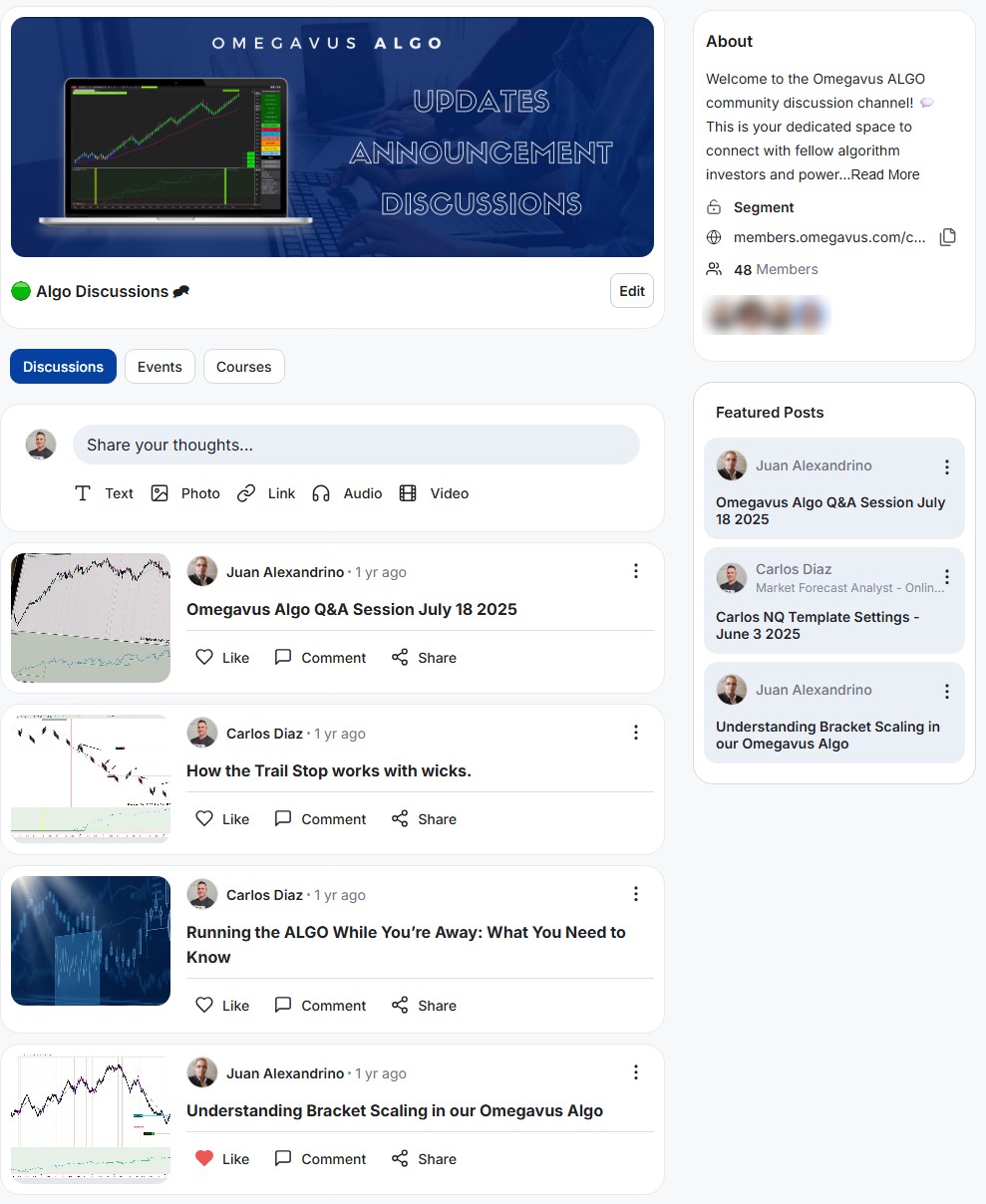
Between sessions, visit Algo Discussions for announcements, shared settings, technical questions, and conversations with other owners.
This is the real community page. Members' photos are blurred for their privacy.
Your included three months begin on your purchase date and run for three months from that date. Nothing renews automatically. To continue at $197/month, you choose a separate subscription checkout. If you do not subscribe, your lifetime Algo Pro license remains active. OmegavusTREND-connected features require an active Professional subscription. Whatever templates we released, shared, or created while you were a member, you keep. You also keep access to the Algo Q&A training calls. You do not get new logics, new templates, template updates, or the live Template Workshop after membership ends.
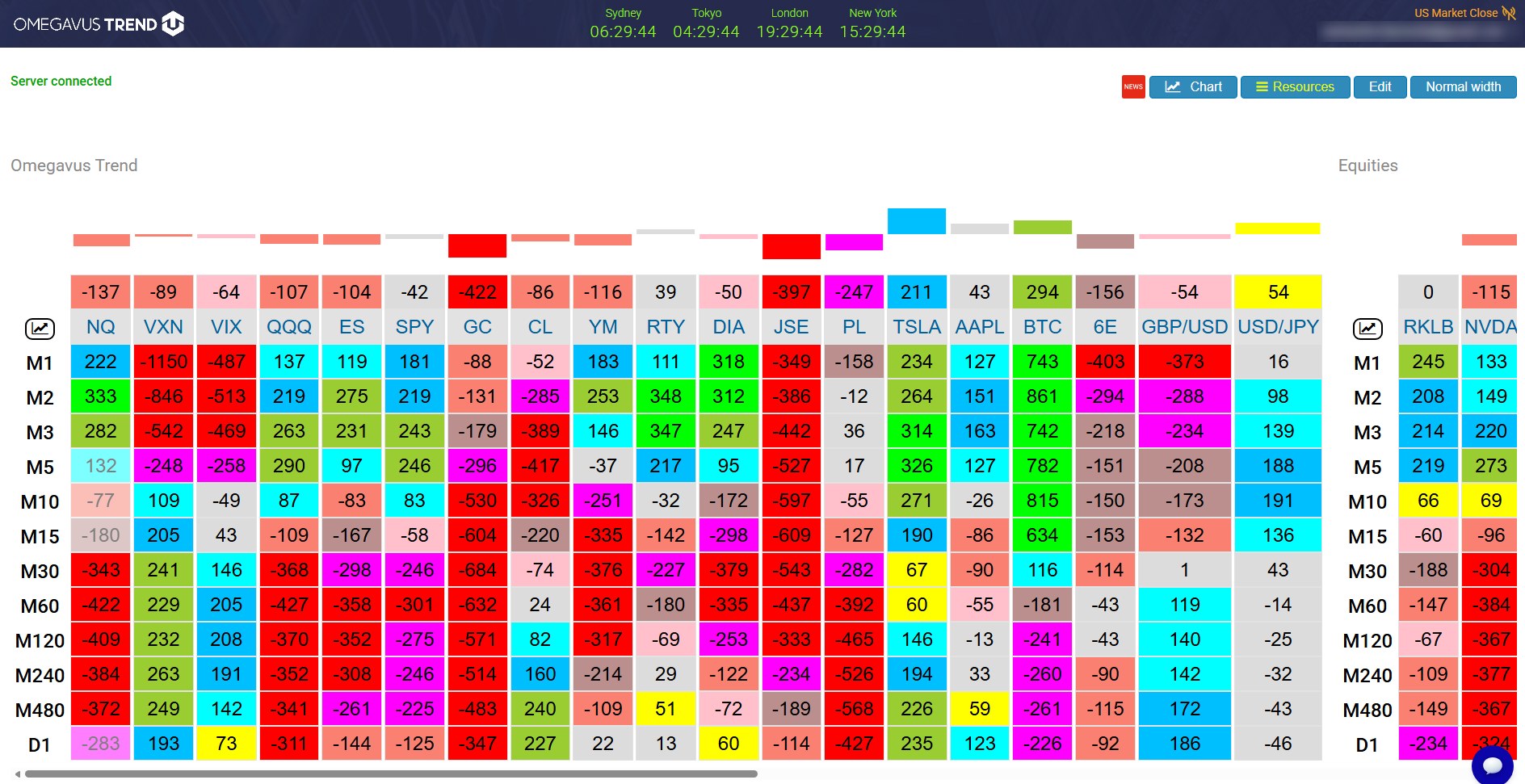
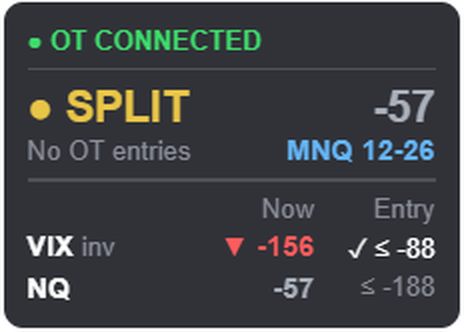
A chart shows you one market. OmegavusTREND shows you the direction and strength of every market you choose, on 12 timeframes from 1 minute to the daily chart, all on the same scale. When the market you trade and the markets around it agree, the move has support. When they pull apart, it's often a sign of chop.
OmegavusTREND is our market momentum scanner. Version 4.2 connects it to Algo Pro, so the algo can act on the same readings you see in the scanner.
OmegavusTREND is a separate scanner whose readings Algo Pro 4.2 can use. Professional access is included in The Collective. The other Algo Pro logics still work without it, but OT-connected logic requires an active Professional subscription.
Visit omegavustrend.comAfter more than eight years of development, version 4.2 includes a reworked engine, new logics, and additional checks for common software errors.
The code was reworked from top to bottom. Algo Pro 4.2 is about 34,000 lines of C# across 39 files, written for NinjaTrader 8.
Version 4.2 added new trading logics, including the OmegavusTREND logic, so you have more ways to get into and out of a trade.
We rebuilt how Algo Pro loads past data and handles the OmegavusTREND connection so it runs smoother inside NinjaTrader. We added checks that watch for stuck orders, and a missing setting now shows a plain message telling you what to fix.
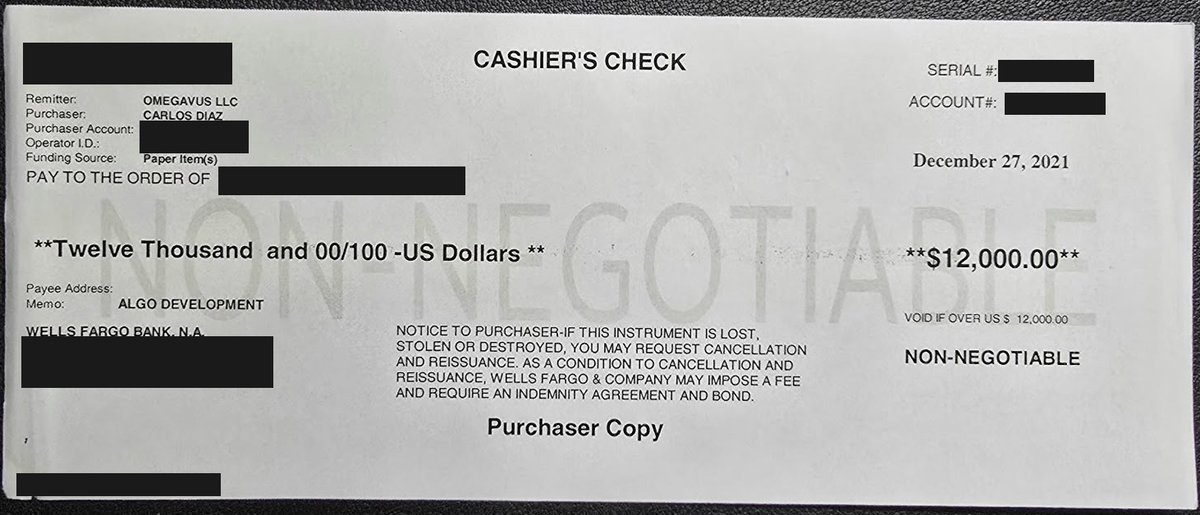
We spent years commissioning code, retesting updates and waiting for revisions. One development round cost $12,000, and later fixes took more than 11 months to arrive. For configurations supported by Algo Pro, you can now change settings and save a new strategy without commissioning another custom build.
WHAT DEVELOPMENT REQUIRED
One round of version 2.1 work in December 2021 cost us $12,000 for three logics and fixes.
Some developer work had to be replaced. Later, we waited more than 11 months for fixes and completed the remaining work ourselves with AI assistance.
WHAT YOU GET INSTEAD
One configurable software environmentone timeStart with four included templates, combine the available entry and exit logics, save new configurations, and review them in NinjaTrader. Our VIP installation session helps you get set up.
These are our historical development expenses, not an estimate of what another trader would spend. The software does not eliminate trading risk or include unlimited custom programming.
Algo Pro was designed by a trader and built by a team over more than eight years. These are the two people you'll work with most.

Carlos learned to read futures markets from the analysts at UBS PaineWebber in Puerto Rico, then worked as a private portfolio's technical analyst, became a licensed Introducing Broker, and trained stockbrokers at Santander Securities in forecasting. Algo Pro puts that way of reading the market into rules you can run every day.

Juan is a computer engineer who has studied the markets alongside Carlos for 16 years. He builds the automation behind Algo Pro, so the logic on your chart is put together by someone who understands both the code and the trading. When something technical comes up on your setup, he's the one who solves it.
Some products sell a configured strategy. Others sell tools for writing or connecting rules. If you're evaluating alternatives, these are the specific capabilities to check. Product features and licensing terms vary by provider.
| What to compare | Included with Algo Pro 4.2 | What to verify with any alternative |
|---|---|---|
| Strategy design | 10 entry logics + 10 separate exit logics | Can entries and exits be changed independently? |
| Logic roles | Assign selected logic as direction, trigger or filter | Can the same logic be used for different jobs? |
| Reuse | Save as many configurations as you want, each as its own algo | Do you buy another license for a different setup? |
| Execution control | Automated trading or manual entry with automated bracket management | Can you change course during a live position? |
| Trade management | Up to four brackets; configured stops, targets and risk limits | Which bracket and account protections are included? |
| Starting point | Four included NQ/MNQ configurations + personal VIP installation | Are configurations, training and live setup included? |
| Ownership | One-time lifetime license; separate optional Collective membership | What remains usable if you stop paying a subscription? |
This checklist describes Algo Pro's stated scope and questions to ask other vendors. It does not claim that competing products lack these capabilities. Visit each vendor's current website and verify features directly.
One payment, and the license is yours. Everything below is included on day one.
Keep learning after your VIP installation, with one live session every week.
Algo Q&A one week; a Template Workshop the next.
Combine logics, adjust settings and forward-test templates with us.
Professional access and its Algo Pro integration are included while your membership is active.
Member discussions, session replays, template research and access to new member logics.
Some automated trading products cost less. Compare what you actually receive: 10 entry logics, 10 separate exit logics, four included NQ/MNQ configurations, unlimited saved templates and personal installation. Algo Pro is $4,997 once.
Before committing $4,997, book a live demo and tell us which market and rules matter to you. After purchase, VIP installation includes setting up and testing an included algo in simulation.
Because then the license is yours the day you pay, the price is the same for everyone, and there's no monthly bill for the software. A lot of algos are rented month to month. This one you own.
Algo Pro executes through NinjaTrader 8 on your Windows computer, connected to your broker and market-data feed. Your computer and trading platform must remain running and connected for automated execution.
Algo Pro uses its own integrated logics rather than importing third-party code. You can combine the included logics and develop new configurations in Template Workshops.
It's more than a one-button bot, and that's why it can do more. But you start with one of the four included algos on one market, on a simulated account, with a checklist that walks you through it. Most of the settings you can leave alone until you're ready for them.
Algo Pro is software that trades the rules you set. It doesn't guarantee profits, and no algo can. What it does is follow your rules the same way every session, apply the risk settings you choose (subject to order execution, platform and connection risks), and show you why it took or skipped every trade.
Yes, when a configuration is enabled and NinjaTrader, your computer, broker connection and data feed are operating properly. Algo Pro can place and manage trades without your constant interaction, but you should monitor execution and risk.
NinjaTrader 8 on a Windows computer, a futures broker and a live data feed. Those are paid separately.
Yes. Two of the four included algos are built for MNQ. Each bracket needs at least one contract, so with two contracts you can use up to two brackets.
After purchase, you join the private Algo community and book VIP installation. During the session, we activate the software, load the included templates, review settings, and test in simulation. Live Q&A and Template Workshops alternate weekly.
All sales are final under the stated license terms. We offer a live demonstration before purchase and personally help you install Algo Pro and run an included template in simulation afterward. Please review the license and refund terms before paying.
Yes. The license is for one trader on two computers, and both can run at the same time, for example a desktop and a VPS. A household member may run it under your license, and support goes to you.
Fixes, NinjaTrader compatibility and improvements to the logics you own. New logics and features we add to Algo Pro come with the membership, or you can buy new logics one at a time.
Custom coding for individual owners is not included. In Template Workshops, members test new configurations using the built-in logics. We review member suggestions when planning future updates.
Not while you're a member. OmegavusTREND Professional is included in the membership. If you already pay for OmegavusTREND, you can cancel it once your membership starts.
No automatic renewal and no surprise charge. Your three included months start on your purchase date. After they end, you can choose to subscribe for $197/month. If you do nothing, your lifetime Algo Pro license, covered updates, and owner support remain. You keep every template released while you were a member, and you keep access to the Algo Q&A training calls. You lose new logics, new templates, template updates, and the live Template Workshop. The OmegavusTREND-connected logic requires active Professional access.